
Do you waste 15–20 minutes every day just figuring out who's next? Your front desk calls out ticket numbers, clients crowd around the reception, someone is late — and your entire schedule falls apart?
Every service business owner knows this pain. And it's not just annoying — it's costing you money. Every client you lose because of queue chaos is lost revenue.
My Own Service has solved this problem once and for all. We've combined online booking via your website, an electronic live queue with QR codes, and Telegram notifications into one unified system. The result — a transparent client flow where everyone knows their place, and you see the entire day in a single window.
1. Website Booking + Telegram: Clients Confirm in 1 Click
The first piece of the puzzle lets clients book online 24/7 and instantly link their Telegram for notifications.
How it works
- A client visits your personal online booking page (auto-generated by My Own Service) and picks a service, staff member, and time.
- After submitting the form, the system generates a one-time link:
t.me/Bot?start=bk_TOKEN(valid for 24 hours). - The "Success!" screen shows a [📲 Open in Telegram] button.
- The client taps it, lands in our Telegram Client Bot, and presses
/start. - The bot links the client's Telegram account to their booking and sends a confirmation card with visit details.
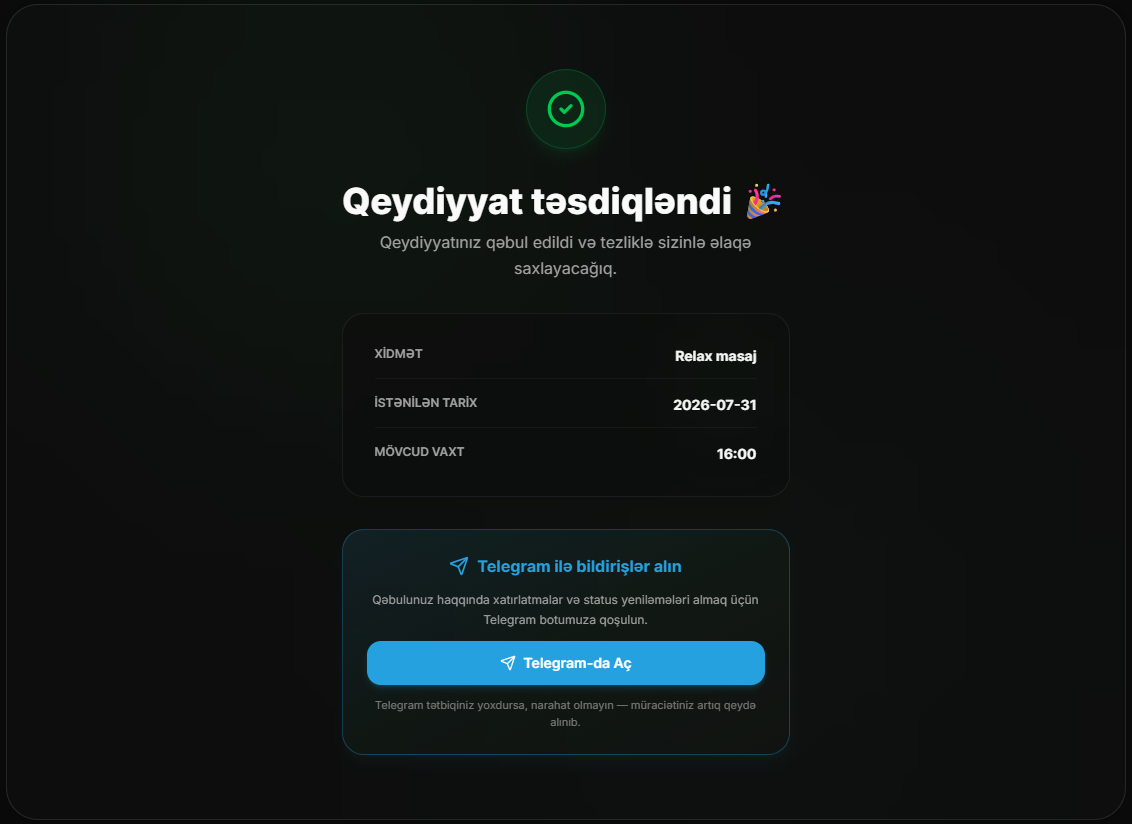
Why this matters
The client receives a confirmation right in their messenger — where they spend most of their time. No need to check email or remember a business card. The booking is "pinned" inside Telegram, and the system can send reminders later.
Telegram confirmations and reminders help clients remember their bookings and reduce the risk of no-shows.
2. Live Queue via QR Code: No More Paper Tickets
For businesses with walk-in traffic — barbershops, nail studios, auto repair shops, massage studios — we've built an electronic live queue system.
How it works
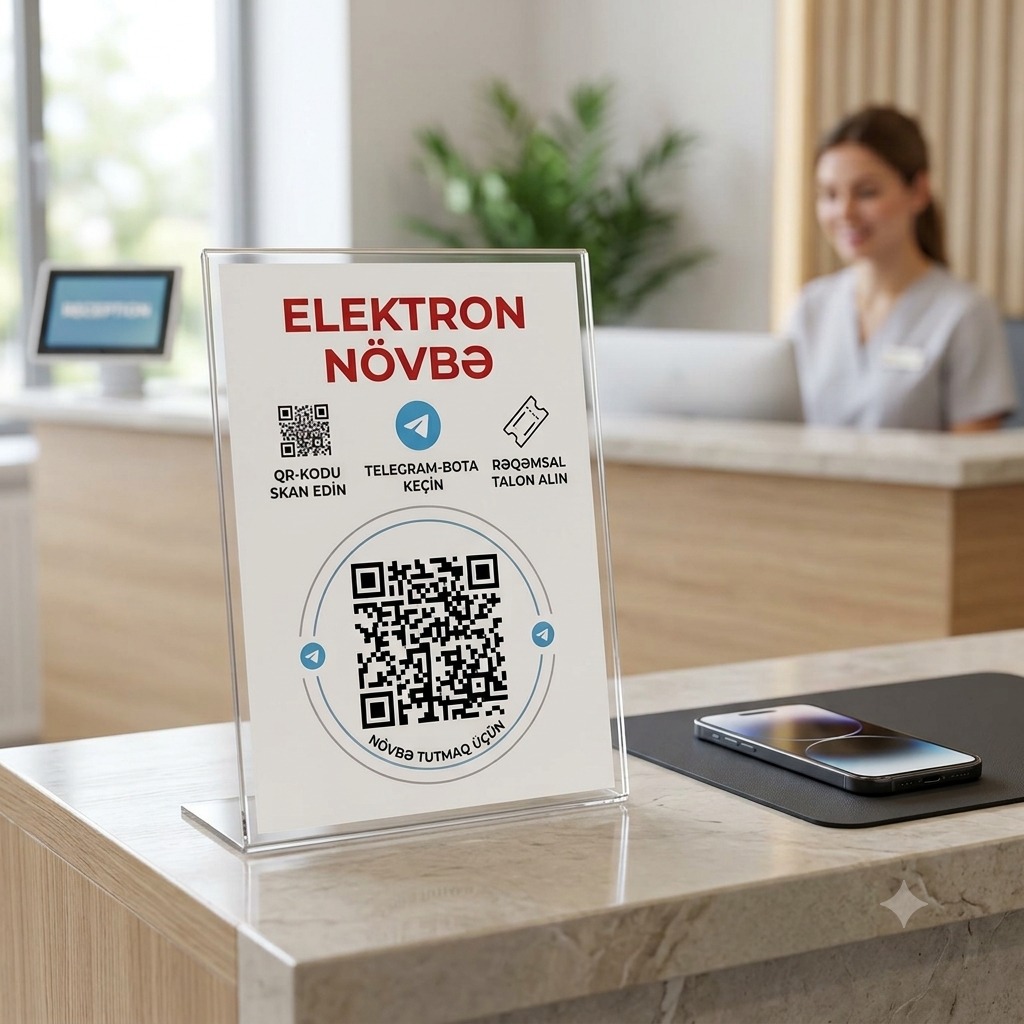
Place a QR code at your reception desk or entrance. Clients scan it with their smartphone camera and land directly in the Telegram Client Bot with a pre-filled start q_BUSINESS_ID command.
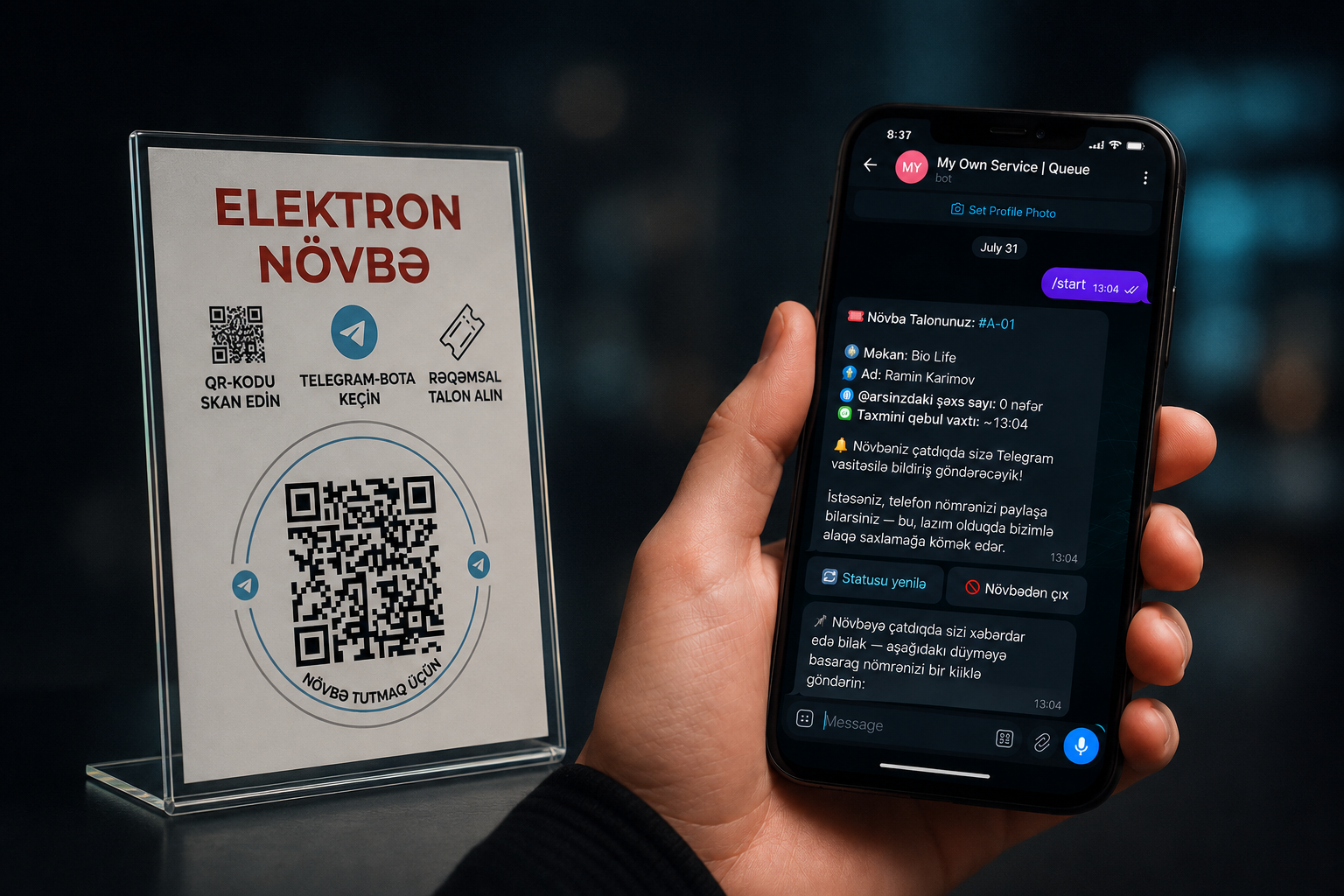
The bot instantly issues an electronic ticket:
- Ticket number: A-01, A-02, B-01 (automatic sequential numbering)
- Status: "You're in the queue"
- People ahead of you: live count
Everything arrives as a beautiful card inside Telegram — no SMS, no printed slips.
Business benefits
- Zero paper — tickets never get lost, no printing needed
- Instant notifications — the system sends a PUSH when it's your turn
- Transparency — clients see their position without asking "when's my turn?" every 5 minutes
- Analytics — you know exactly how many people walked through your queue each day
3. Unified Timeline: Bookings + Queue in One View
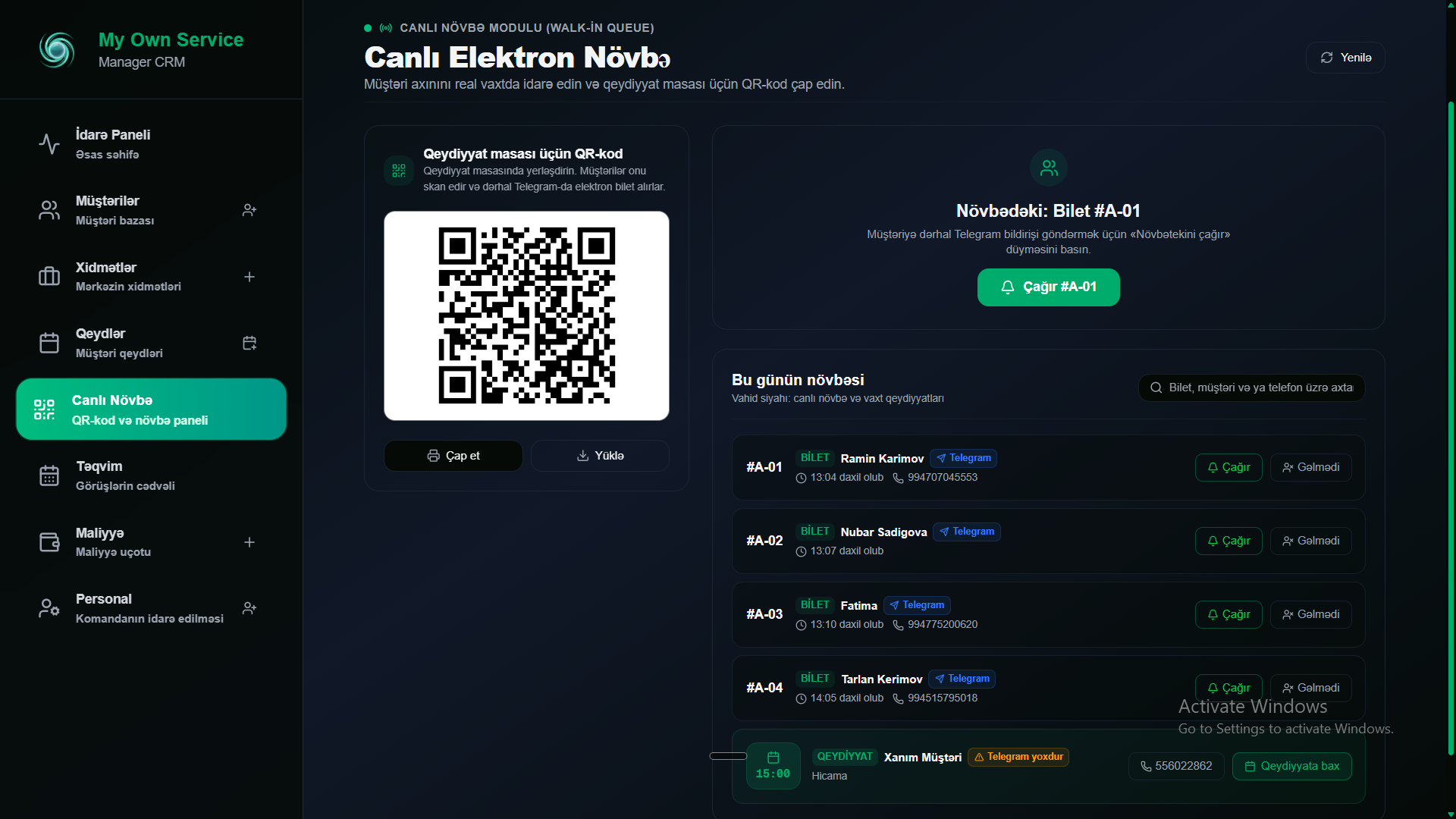
Our most powerful innovation — merging both formats into a single dashboard. You no longer toggle between "appointment list" and "queue list". Everything lives in one chronological feed.
Here's what you see:
| Time | Type | Client | Telegram | Status |
|---|---|---|---|---|
| 09:00 | 🎫 Ticket A-01 | Alex | 🔵 | Waiting |
| 09:30 | 🎫 Ticket A-02 | Elena | ⚠️ None | Waiting |
| 10:00 | 📅 Booking | Ivan Petrov | 🔵 | Confirmed |
| 10:30 | 🎫 Ticket A-03 | Oleg | 🔵 | Waiting |
| 11:00 | 📅 Booking | Anna | ⚠️ None | Confirmed |
Each row is clearly labeled: you instantly see who booked ahead and who walked in.
Telegram status — a game-changer
Next to every client, an indicator shows:
- 🔵 Telegram — the client will receive a PUSH notification when you tap "Call"
- ⚠️ No Telegram — the admin knows to call out the name or phone
One "Call" button — and the system either sends a Telegram notification or (if no Telegram) changes the status to CALLED with a visual prompt for the admin.
4. Smart Appointment Completion
When a staff member finishes serving a client, the system turns routine into a single click.
Tap "Complete Service" — and My Own Service:
- Automatically finds or creates the client's card in the database
- Instantly opens a pre-filled appointment form:
- Client name and phone
- Service and price
- Staff member
- Actual start time
- Note: "Appointment created from live queue ticket #A-01"
- Status:
COMPLETED
- You just save — a full CRM record is ready
No double data entry. No lost paper tickets. Every served client is automatically logged in history.
5. What's Next? Roadmap
We're not stopping here. Phase 3 includes:
- Telegram Mini App (TMA) — full interactive UI inside Telegram, no website redirect
- Smart Wait Time Estimation — real average duration from the last 10–20 services dynamically shows accurate wait times
- Grace Period (10 min) — auto-release a slot when a booked client is late
- No-Show Timer (3 min) — countdown when calling a live queue ticket
- Client Portal — visit history, active tickets, and loyalty points inside Telegram
How to Get Started with Queue & Telegram Booking
Everything works "out of the box" in My Own Service.
- Sign up for a — free 14-day trial (no credit card required)
- Set up your online booking — read our guide on the Interactive Appointments Calendar
- Print your live queue QR code — generated automatically in your dashboard
- Clients scan the QR and receive tickets in Telegram
Queue chaos is a thing of the past. Your business deserves order.
Ready to try My Own Service?
14 days free access — no credit card required.