
A client buys styling cream after a haircut, or massage oil for home care after a treatment. Another visitor comes only to buy a product, without booking a service. Each sale needs an order, a payment record and a reliable count of what remains on the shelf.
Retail & Stock in My Own Service connects these sales to your existing clients, appointments and finances. Products, stock and orders live in the same CRM.
Start with a product card
The owner or administrator opens Products and enters the name, purchase cost, selling price and quantity. Choose a saved category or create a new one. Reusing an existing name helps avoid several versions of the same category caused by typos.
Three stock values have different purposes:
- Opening stock is the quantity already on hand when you create the product.
- Current stock is the quantity after receipts, sales, returns and adjustments.
- Minimum stock is the threshold for the low-stock filter. Set it to 3, and a quantity of 3 or fewer counts as low stock.
The threshold does not block a sale or reserve units. Quantities are whole numbers, and stock cannot go below zero.
Upload up to five product photos; the first is the cover. Our website product catalog guide explains how to publish those cards for customers.
Three ways to sell
A standalone order. A visitor does not need a service appointment. Open Orders, select an existing client, add products and choose the seller. For a new client, create a card with their name and phone in the same window.
Products with an appointment. Open the appointment and its Products for visit section. The client comes from the appointment. Checkout can include linked unpaid services or just the products. Marking a service paid does not automatically pay its product order.
An order from the website. A customer chooses products in the catalog or adds them while booking a service. Your team receives an unpaid order in CRM.
This works for beauty salons and studios, where services and home-care products belong together but can also be purchased independently.
When stock changes
Saving an unpaid order neither reduces nor reserves stock. Availability is checked again when payment is recorded. If another customer has bought the last unit, CRM rejects payment for an order that exceeds the remaining quantity.
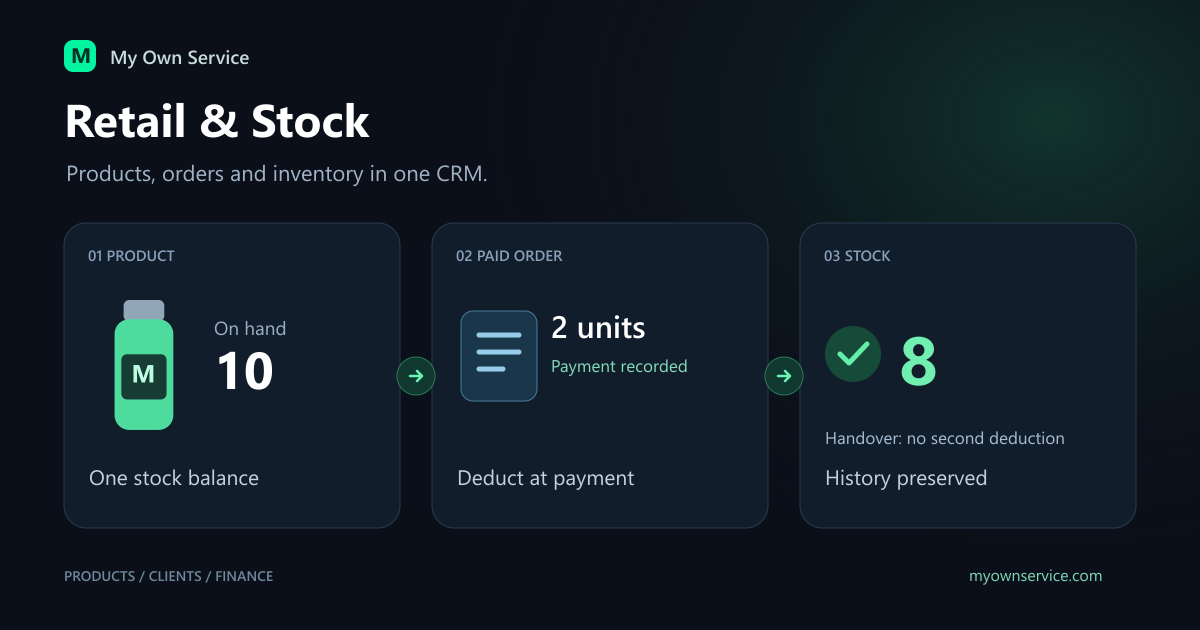
For example, you have 10 jars and a customer orders 2. Stock stays at 10 until payment. After you receive the money and record it, stock becomes 8. Marking the order handed over later leaves it at 8: there is no second deduction.
Record a new delivery as a receipt with a positive quantity and a reason. After a physical count, enter a signed adjustment: if CRM shows 10 but the shelf has 8, enter −2. History keeps each movement and the resulting balance.
Separate money from quantities
The financial feed includes service and product payments. An unpaid product order is not money received. A product refund creates a separate expense while preserving the original receipt. Do not subtract that refund twice in your analysis.
A stock receipt does not automatically create a purchase expense. Record the actual payment to the supplier separately. The difference between cash received and expenses is therefore not a per-product margin calculation.
Employee commission is also separate from the client payment. Select the employee who recommended the product before payment, and configure a separate product rate. See the product sales commission guide.
Returns and archiving preserve history
The owner or administrator can refund the entire goods amount of an order. Specify separately how many usable units return to stock; the default is 0. Returning money does not mean every item can go back on sale. A linked service payment is not refunded by this action.
Archive a discontinued product to remove it from new sales while keeping its photos, stock and history. Show archived products and choose Restore to bring it back into CRM. Enable website visibility separately after restoration.
Introduce the process gradually
- Add a few products you actually sell and count their opening stock.
- Agree on category names and low-stock thresholds with your team.
- Complete a standalone sale and a sale with a service.
- Decide who records payments, handovers, stock receipts and refunds.
- Compare the shelf with stock history and review the financial feed regularly.
Owners and administrators manage the catalog and stock. Employees work with permitted orders and their own sales, without stock-management controls or access to purchase costs.
The first version uses one stock balance per business, without multiple warehouses, batches or FIFO/LIFO. Customers pay for goods on collection, and the team records payment in CRM. Online product payments, delivery and partial monetary refunds are outside this workflow.
Ready to try My Own Service?
14 days free access — no credit card required.