
A specialist recommends a home-care product, but the administrator creates the order and takes payment. Who should receive sales credit? Counting only checkout actions loses the recommendation. Looking only at services leaves the product sale out of the employee's results entirely.
In My Own Service, a product order has a separate seller: the employee who recommended the product. The order creator and the person recording payment are stored separately. The employee's contribution stays visible regardless of who completed checkout.
Agree on who receives sales credit
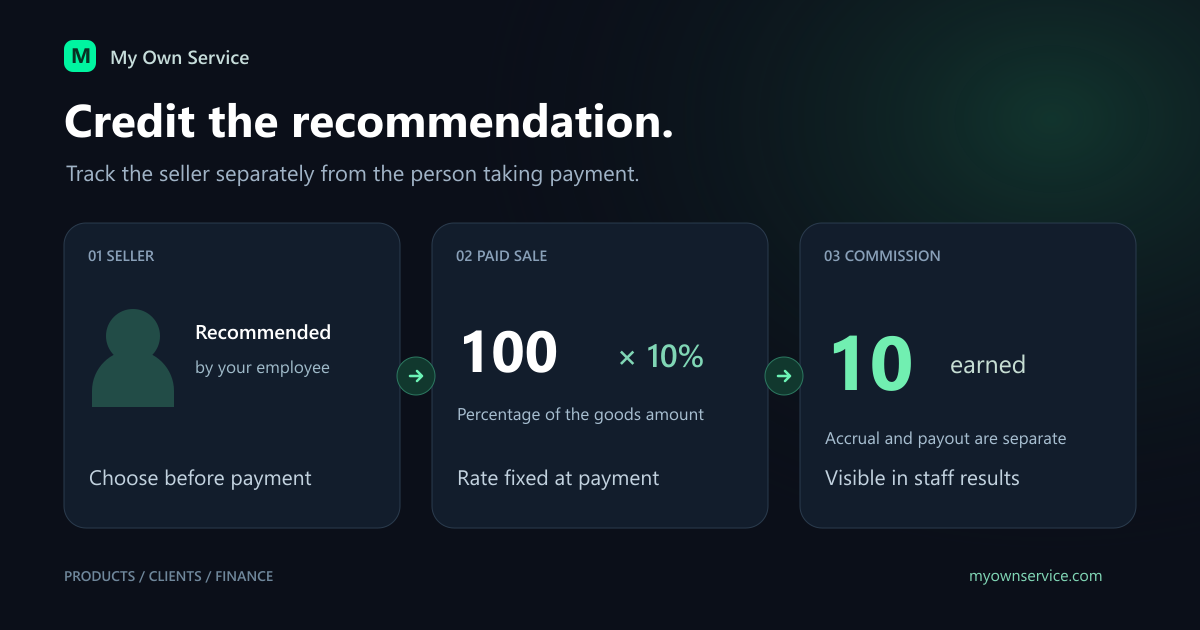
Select the recommending employee in the Seller field before payment. One order has one seller. Create separate orders when a purchase needs to be split between two sellers.
The owner or administrator chooses an active employee or leaves the order unassigned. An EMPLOYEE selects themselves and cannot leave their own standalone sale without a seller. Payment fixes the seller for that order.
Website orders start unassigned. A manager can select the employee before payment if their recommendation led to the purchase. A self-directed purchase without a recommendation remains business revenue without an individual commission.
Read more about product orders and stock and the salon website catalog.
Set a separate product rate
In Finance → Employee compensation, choose the month, employee and terms setup. Salary, service percentage and product percentage are independent. The default product rate is 0%: sales still appear in analytics but earn no commission.
The calculation uses the paid goods amount, not purchase cost or margin. For example:
- A paid order of 100 at 10% earns 10.
- An unpaid order for the same amount earns nothing yet.
- Changing the rate to 15% later preserves the original 10.
- The next paid sale of 40 earns 6, bringing those sales' commission to 16.
The rate and amount are fixed when each order is paid. Changing terms does not recalculate earlier paid sales or retroactively create commission for older orders that had none.
An administrator can also be a seller
Providing services is not a requirement for product commission. Create a staff profile for the administrator and link it to their ADMIN access when inviting them. The owner can also link an existing administrator to an available active staff profile through team access management. Their ADMIN role stays the same.
Someone who only sells products does not need assigned services. Turn off public website visibility for their staff profile if they should not be offered to customers as a specialist.
This suits beauty salons where either a practitioner or an administrator may recommend home care.
Distinguish revenue, accrual and payout
Employee revenue in analytics combines service and product payments, less product refunds in the selected period. Commission is shown separately; it is not deducted from the client payment in this metric.
Monthly accrual combines salary, commission on completed paid services and product commissions with reversals. Services belong to the month delivered, while products belong to the month paid. Cash analytics and compensation totals can therefore differ.
A payout is money actually given to the employee. Recording it in Employee compensation creates one Salary expense. Commission accrual alone creates no expense and does not make a bank transfer.
Open Product sales in the employee details to see sales, refunds, commissions and unpaid orders. Employees see their own figures in personal finances. The financial management guide gives wider context.
What happens after a refund
A full product refund reverses the original commission. A sale of 100 at 10% earned 10; its refund creates −10 even if the current rate is already 15%.
The reversal belongs to the refund month in the business timezone. An October sale refunded in November reduces November accrual and preserves closed October. If the month of the new operation is closed, the owner must reopen that month with a reason before retrying the refund.
Negative accrual or payments above accrual appear as Overpayment / amount to offset. Nothing carries automatically into the next month. Closing a compensation month or changing a rate does not replace issuing the order refund.
Agree on the operating rules
- Who counts as the recommending seller in your everyday situations.
- Who checks the Seller field before payment.
- Each employee's rate and the month it starts.
- When the owner reviews refunds and closes compensation.
- When actual payouts are entered in CRM.
Start with a few test sales and compare the figures. Clear rules and saved history help resolve differences using specific orders.
Ready to try My Own Service?
14 days free access — no credit card required.